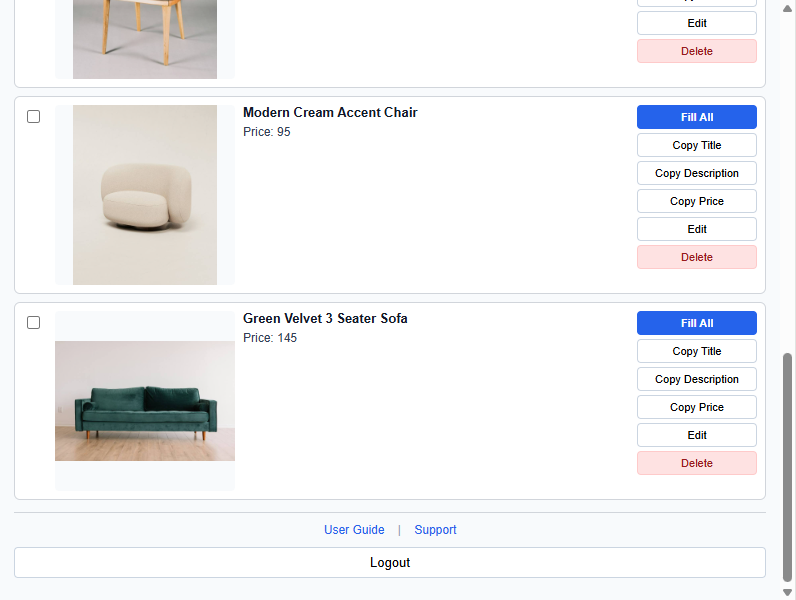
Install CrossPoster in minutes and start managing your Gumtree listings from one simple dashboard. Follow the installation guide below to set up the CrossPoster Chrome extension.
Windows Compatible
Mac Compatible
Linux Compatible
Chromebook Compatible
Google Chrome Required
GETTING STARTED
How to Install CrossPoster in Google Chrome
1. Download CrossPoster ZIP 2. Extract the ZIP file 3. Open Chrome 4. Visit chrome://extensions 5. Enable Developer Mode 6. Click Load Unpacked 7. Select the extracted CrossPoster folder 8. Start saving and reposting listings
Before You Start
• Google Chrome is required • Download and extract the CrossPoster ZIP file before installation • Enable Developer Mode in Chrome • Free accounts can save up to 10 listings • 30 Days Access is required for unlimited listings
WHY CHOOSE CROSSPOSTER
Simple Pricing. Full Control. No Automatic Renewals.
30 Days Access
Get full access to CrossPoster and manage unlimited Gumtree listings for 30 days from the date of purchase.
No Automatic Billing
CrossPoster does not automatically renew your payment. When your 30-day access ends, you decide if and when you want to purchase another access period.
All Features Included
Use every CrossPoster feature during your access period, with unlimited saved listings and full access to all listing management tools.
Instant Activation
Get full CrossPoster access immediately after completing your purchase, so you can start managing your Gumtree listings straight away.